Large-print puzzle games: big letters, big buttons, your own pace
All 12 SharpDaily puzzle games are in large print: text starts at 20 pixels, and an Extra large setting takes it to 23. Answer buttons are at least 60 pixels tall, and no puzzle shows a countdown. Try a round of True or False:
Play a free round of True or False
Quick sums: is the answer right? No sign-up, and speed never counts.
Two text sizes, side by side
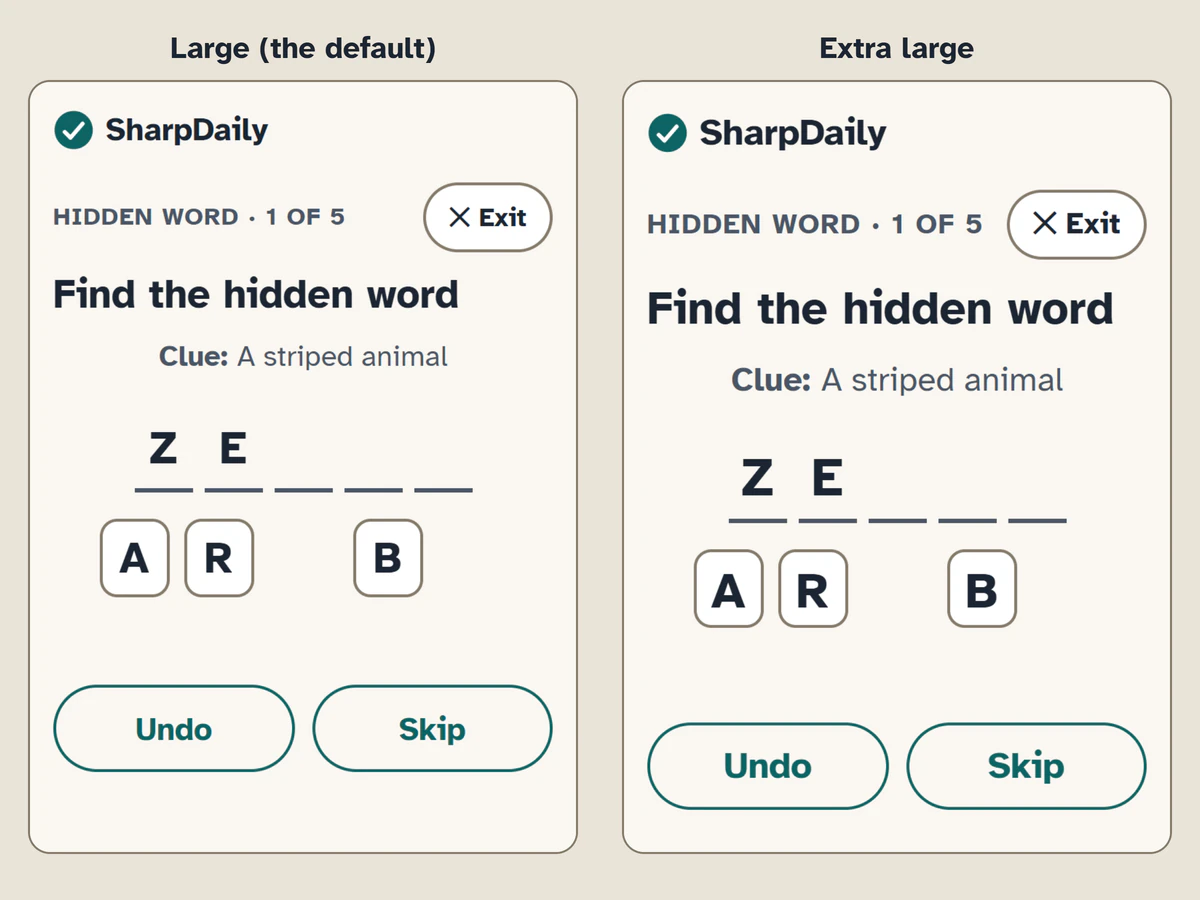
- Large is the standard size: body text at 20 pixels, a quarter bigger than the 16 most web browsers start with, and puzzle titles and letter tiles bigger still. The sums in True or False are set at 40 to 48 pixels, depending on the width of the screen.
- Extra large puts body text at 23 pixels, and all the text on the screen grows with it: clues, words, numbers and button labels.
- You pick one when you first sign in: the second welcome screen is "Choose your text size". To switch later, go to Account → Settings → Extra-large text.
- The free rounds on this site use the standard Large size.
- On a computer, your browser's zoom (Ctrl and +, or ⌘ and + on a Mac) makes everything bigger again.
Big buttons and clear marks
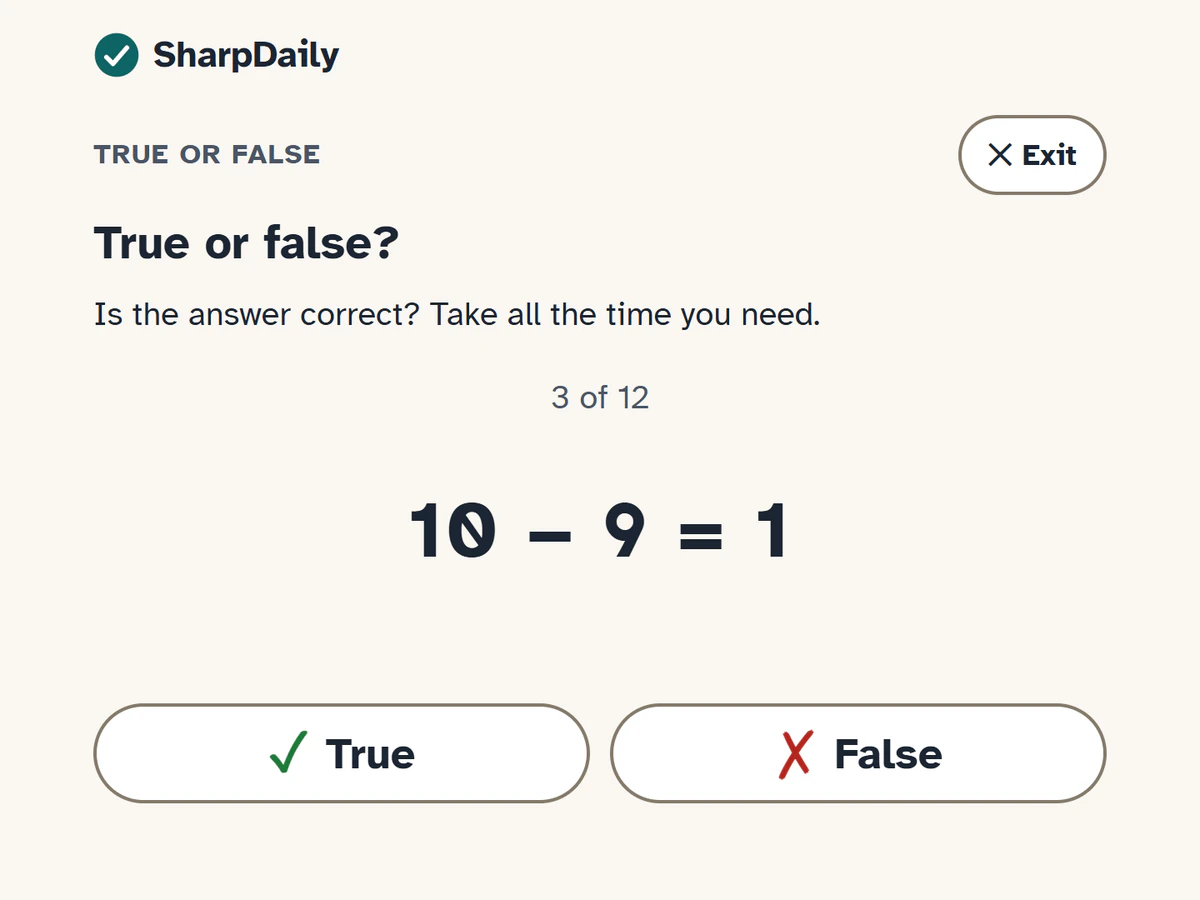
- Buttons: main buttons and answer buttons are at least 60 pixels tall. Word and shopping-list tiles are at least 64, and the Next button is 64.
- Letter tiles: in Hidden Word they are 56 by 60 pixels, or 48 by 54 on the narrowest phones.
- Pictures: in Spot the Odd One and Where Was It? a picture is never smaller than 32 pixels. On a phone narrower than 400 pixels, Spot the Odd One never uses more than a 4-by-4 grid.
- Marks, not just colours: right and wrong answers get a ✓ or ✗ badge, a solid or dashed border, and words such as "Not picked". Nothing is shown by colour alone, and True and False carry a word and a mark, not a green and a red button.
- Letters that don't look alike: the typeface is Atkinson Hyperlegible, chosen because characters that are easy to mix up get distinct shapes. The zero has a slash through it, so 10 never looks like IO.
- Clear edges: answer buttons, letter tiles and picture squares have a clear border, and the text on the game screens was checked for contrast in light and dark mode.
- Light or dark: SharpDaily follows your device's light or dark setting.
- Less motion: if your device is set to reduce motion, the games switch their animations off.
- Sound: sounds and vibration can be turned off in Account → Settings.
Play at your own pace
These are puzzle games without a timer on screen: nothing counts down, and no puzzle ends because time ran out. Here is what that means in practice:
- Relaxed mode is on from the start. New accounts begin in relaxed mode, and its setting says what it does: "Relaxed mode — speed never counts". Your score then never depends on how fast you were. To let speed count for part of the score, switch it off in Account → Settings.
- After a wrong answer, you decide when to move on. The game shows the right answer with a big Next button, and nothing moves until you tap it. (In Hidden Word, a wrong spelling just clears so you can try again; Skip shows the word and waits for Next.) After a right answer, most games move on by themselves in under a second; Word Groups and Grocery List wait for your tap either way.
- Study steps wait for you. Names & Faces, Grocery List and Where Was It? show you something to look at first. Take as long as you like, then tap I'm ready. Follow the Lights waits for you to tap Show me the lights before each pattern.
- You can leave at any time. Every game has an Exit button. It asks "Leave this game?" and adds "It won't count, and you can play it again any time." The game's clock stops while that question is on screen.
Which games have any time element?
Never timed, with relaxed mode on or off:
- Match the Pairs: the score counts your turns, not seconds. Two cards that don't match stay face up for about a second, then turn back.
- Names & Faces, Grocery List and Where Was It?: you study the group, the list or the board until you tap I'm ready.
- Word Groups: you tap Done when you have picked.
- Follow the Lights: the score never counts speed. Each light stays lit for 0.9 seconds in relaxed mode (0.65 without it), with a short pause before the next. If you tap a light out of order, the game plays the right order again at the same pace, then waits for Next.
Speed counts only if you switch relaxed mode off:
- True or False, Spot the Odd One, Count the Change, What Time Is It? and What Comes Next?: up to 30 of the 100 points come from speed.
- Hidden Word: full marks for a word solved within 30 seconds (40 for a 7-letter word), then slowly less, down to 60 points a minute after that.
More about SharpDaily
There are no ads in any of these games, in the free rounds or for members: puzzle games with no ads explains what that covers. The games page lists all 12. Choosing SharpDaily for a parent or grandparent? A gift year is paid once and never renews.